Your POS menu, in the conversation
Use the items, prices and options visible for web ordering in your POS. Keep menu maintenance where your team already works.
 Restaurants App ↗
Let guests order on your restaurant website, Facebook Messenger and Instagram. Your AI Agent guides the conversation and sends confirmed orders straight to your POS.
Try a sample order. Select Order here in the bottom-left corner.
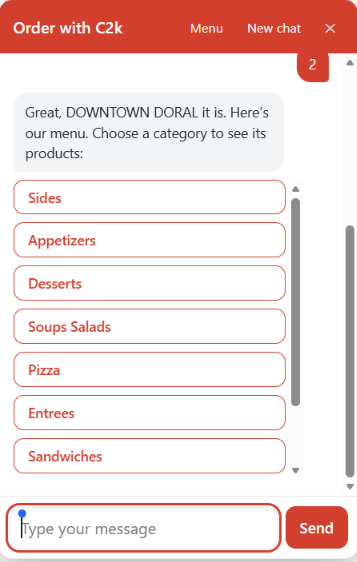
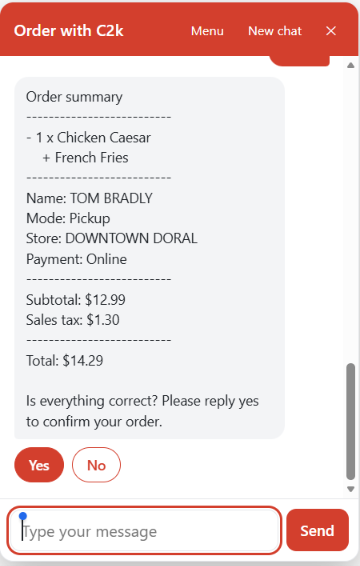
Customers choose. Your agent checks the details. Your restaurant prepares the order through its normal POS workflow.
Use the items, prices and options visible for web ordering in your POS. Keep menu maintenance where your team already works.
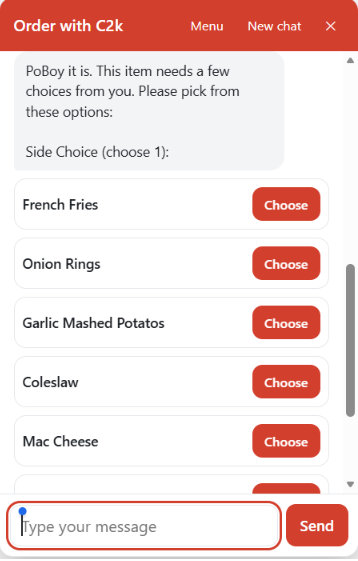
Collect required sizes, sides and modifiers before adding an item. Recap the complete order and ask for confirmation.
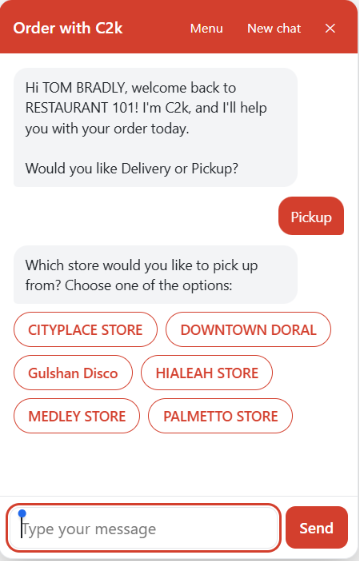
Let pickup guests choose a store. Check delivery addresses against the zones configured for your locations.
Offer your enabled payment methods. Online customers pay on the provider’s secure page; the POS order follows payment confirmation.
Receive the customer details, items and required choices with the order. Staff prepare it through the usual restaurant process.
During onboarding, you define the language, familiar or formal tone, greeting and applicable local tax-data requirements. Payment methods and sale types come from the POS configuration. The menu refreshes periodically, including new items and price changes.
Real customer ordering screens from the Web & Social AI Agent.
Call2Kitchen connects ordering to supported Oracle Simphony, Micros RES3700, NCR Aloha and PAR PixelPoint environments. Integration scope is confirmed for your version and stores.
Explore the existing REST API integration page ↗This product serves the restaurant website, Facebook Messenger and Instagram. C2k Hey Bot is the separate WhatsApp ordering product.
The AI Agent takes orders autonomously. Staff keep the POS menu accurate, prepare incoming checks and contact Call2Kitchen when an issue needs attention.
The supplied edition cannot change or cancel an order already submitted. Your team handles those requests through the normal restaurant process.
The supplied Web & Social Agent guide describes text conversations. It does not process photos, voice messages or stickers. WhatsApp voice-note ordering belongs to the separate chatbot product.
Provide your preferred language, familiar or formal tone, and welcome message during onboarding.
Tell us which local rules apply, including tax information to collect for electronic invoicing or fiscal receipts.
Supported payment methods, sale types and delivery or pickup modes are extracted from your POS configuration and reviewed during setup.
Periodic refreshes update price changes and newly added products according to the configured schedule.
Start with your channels, stores and POS. We’ll help connect the rest.
Partners & POS integrations


 Aloha POS