
01 / ORDER
Menu guided ordering
Help customers select products, sizes and available options through a conversational experience.
Give guests a convenient way to order through chat, including WhatsApp Business. The two-way POS integration extracts the menu, store and payment method information directly from the POS, then places confirmed orders into the POS without human intervention.
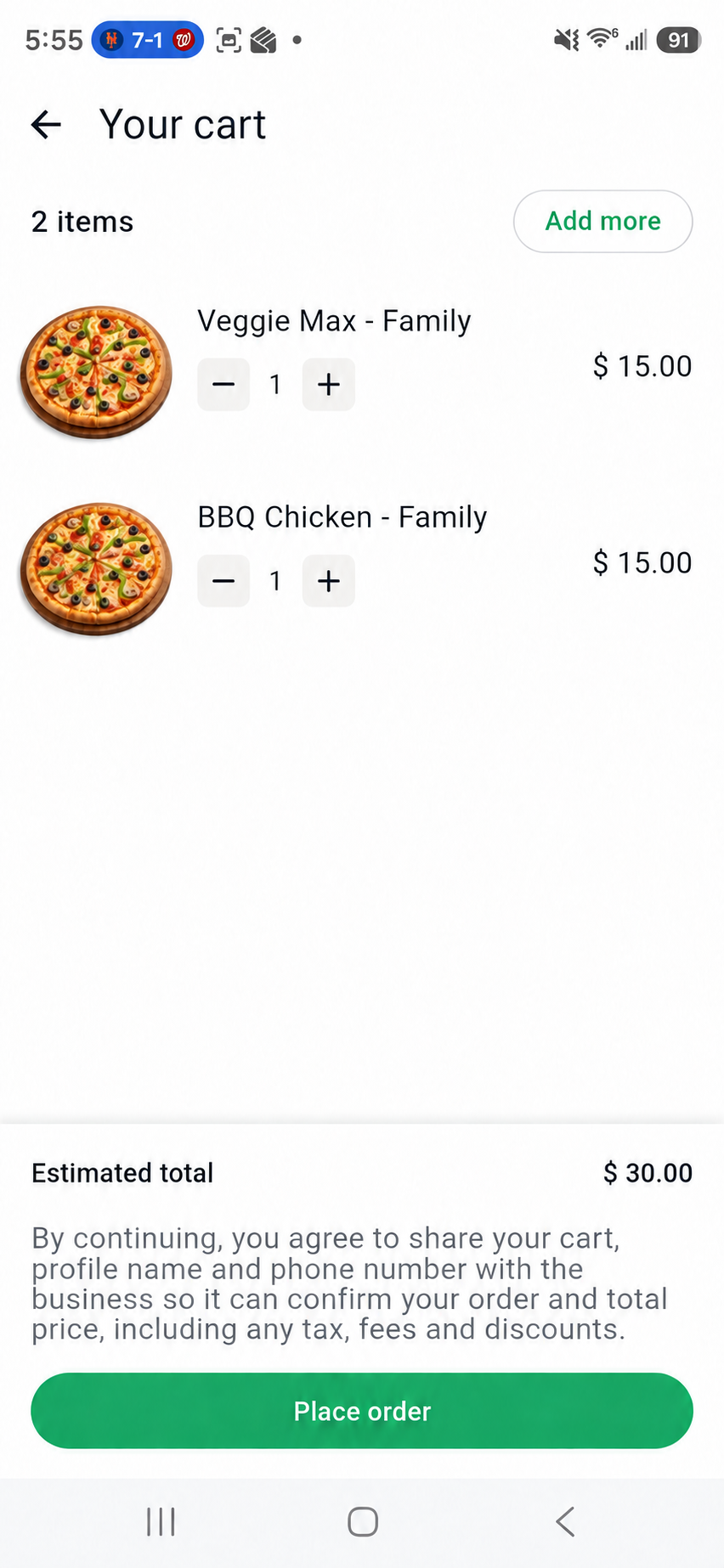
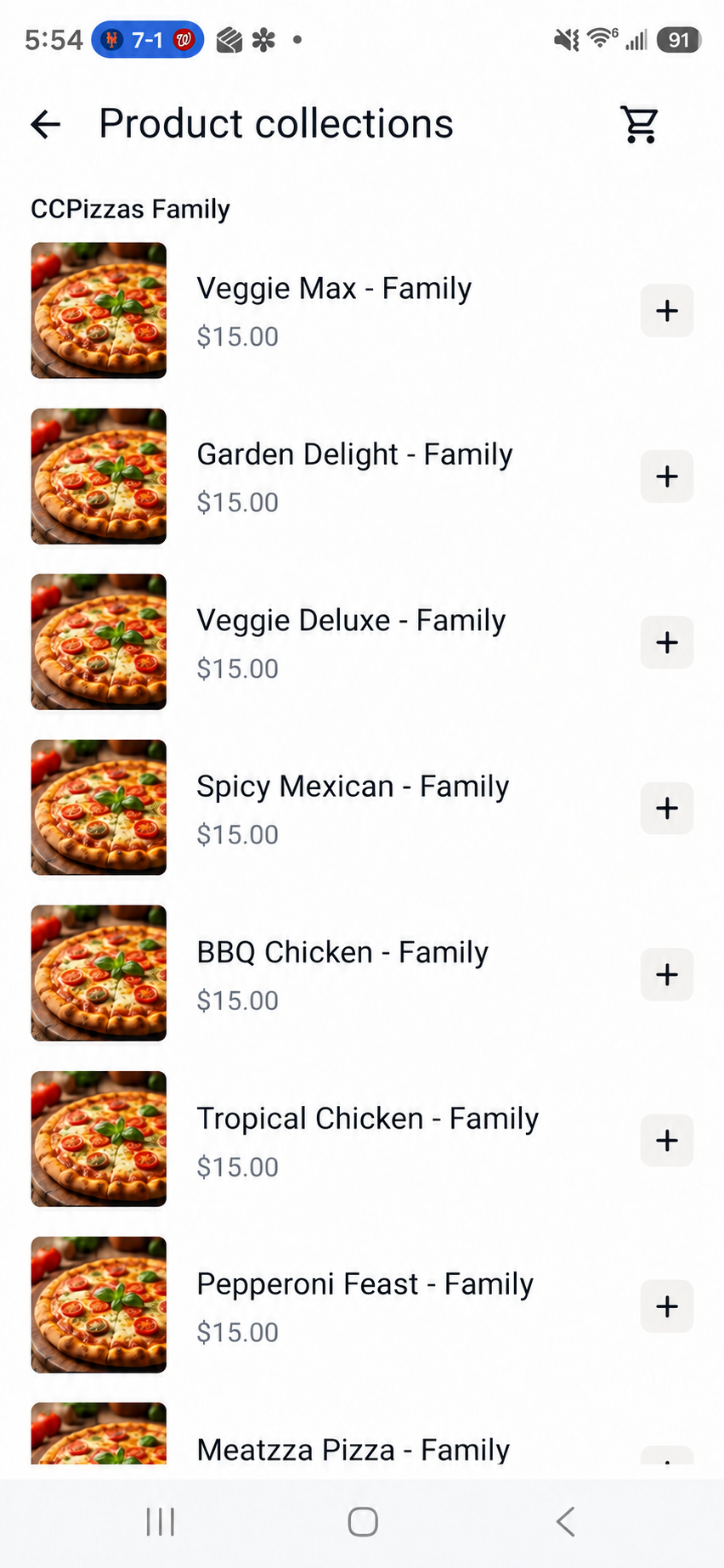
Adapted from Call2Kitchen ordering screens; customer details and restaurant logos excluded.
Browse menu collections, select required options and review the cart before placing an order. Adapted from a real ordering flow. Restaurant logos have been replaced with generic pizza images, currency labels simplified, and the options button translated to English.
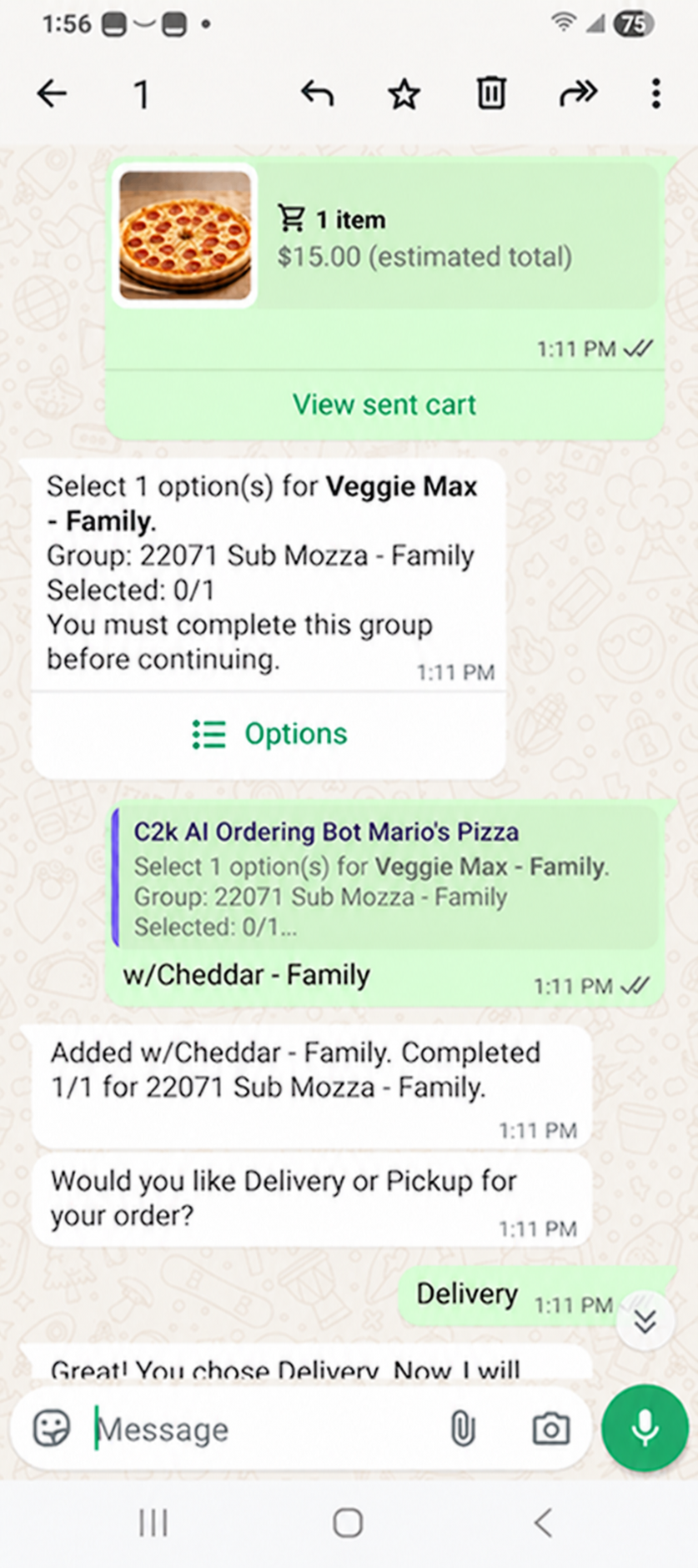
The chatbot guides customers from menu selection through order details while your team keeps restaurant operations connected.
Help customers select products, sizes and available options through a conversational experience.
Meet customers on familiar messaging channels with a consistent ordering journey.
Place confirmed orders directly into supported restaurant POS systems without human intervention.
Configure the chatbot with your restaurant workflow and add the integrations that fit your locations.
Extract the menu directly from PAR PixelPoint, NCR Aloha, Micros RES 3700 or Oracle Simphony into the chatbot, along with store and payment method information. Submit confirmed orders directly to the POS. Scope is confirmed for each deployment.
Optional integration with supported last-mile providers, including Uber Direct and Shipday, can connect order fulfillment to your delivery workflow.
Optional integration with our Live Tracking service gives your operation visibility into the delivery journey.
Connect a third-party payment gateway to the chatbot ordering flow. The gateway integration is included in the AI Chatbot setup cost.
A customer opens a supported chat channel and chooses delivery or pickup. With the customer's permission, geolocation helps find the nearest store for either option.
The assistant uses the menu extracted directly from the POS to guide product choices and required selections.
Review the items, fulfillment details and customer information before submission.
Place the confirmed order directly into the store's supported POS, without human intervention.
$770 per month
Each session includes unlimited messages. Additional packages from 1,500 to 10,000 sessions are available; setup is priced by store count.
Additional sessions, POS integration and other optional services are priced separately. Contact us for the complete pricing schedule.
We'll discuss your channels, menu structure, store count and POS environment, then show how Call2Kitchen can fit your operation.